Help & information
Frequently asked questions
Search for your question below, or browse the categories
🔍
🔥 Top 10 most searched questions
❓ Technical enquiries
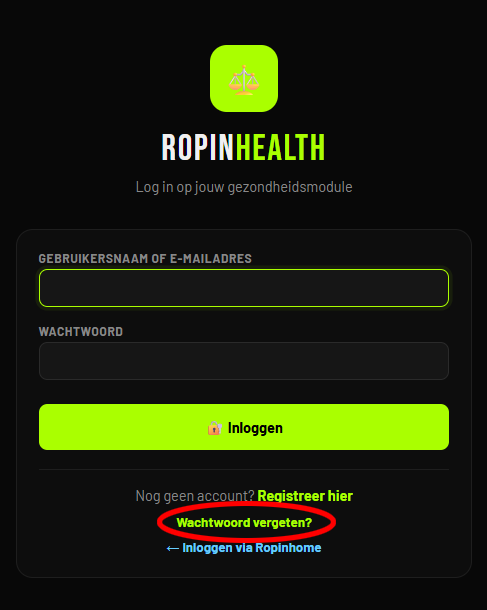
Don’t worry! On the login page, you’ll find the **‘Forgotten your password?’** option below the login form.
Click on this, enter the email address you used to register with RopinHealth and follow the instructions in the email you receive. You can easily set a new password via the link provided.
### Haven’t received an email?
* First, check your **Junk (Spam)** folder.
* Check that you’ve entered the correct email address.
* Still can’t find the email? Please contact our support team. We’ll be happy to help.
**Tip:** Choose a strong password using a combination of upper-case letters, lower-case letters, numbers and special characters to ensure your account is as secure as possible.
Click on this, enter the email address you used to register with RopinHealth and follow the instructions in the email you receive. You can easily set a new password via the link provided.
### Haven’t received an email?
* First, check your **Junk (Spam)** folder.
* Check that you’ve entered the correct email address.
* Still can’t find the email? Please contact our support team. We’ll be happy to help.
**Tip:** Choose a strong password using a combination of upper-case letters, lower-case letters, numbers and special characters to ensure your account is as secure as possible.
Was this helpful?